
Draft Sharks Fantasy Football
Draft SharksSports
3.4305.00 Reviews
- Version
- 4.7
- Installs
- 50.00K
- Age Rating
- Everyone
Screenshots
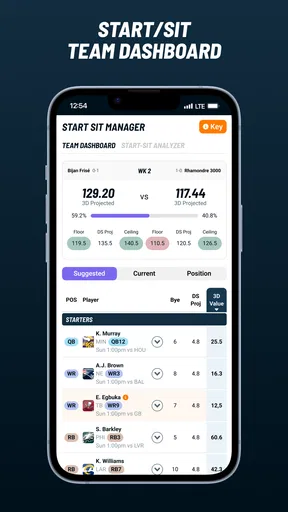
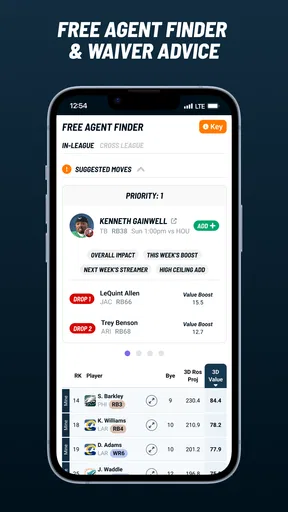
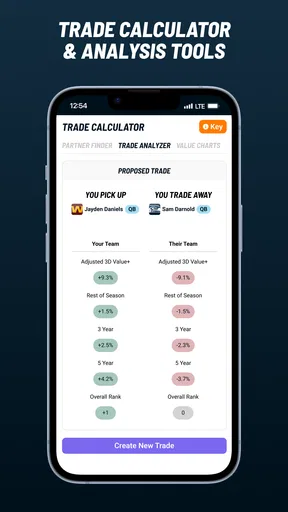
Our Review of Draft Sharks Fantasy Football
 Analysis by Appyee
I found Draft Sharks Fantasy Football most useful when I treated it as a live draft companion rather than a complete fantasy football league manager. It is a free sports app from Draft Sharks, built around rankings, draft tools, and advice for people who want more structure when making selections. In my experience, its value comes from reducing the mental clutter of a fantasy draft: instead of jumping between several browser tabs, I can keep player research and draft decisions closer together on my phone.
That convenience matters most when the draft is moving quickly. A fantasy football room can turn from calm to frantic after one unexpected pick, and having a dedicated reference point is easier than trying to remember which article contained a particular recommendation. I would not call it a magic shortcut to winning, but it can make preparation more deliberate and help me avoid selecting players purely because their names are familiar.
The app sits in the sports category and is aimed at fantasy football participants rather than people looking for live game scores or general football news. It is suitable for Everyone, costs nothing to download, and has attracted over 50 thousand installs. Those details make it approachable for a first-time fantasy player who wants to test a draft tool without committing to a subscription before understanding whether the workflow fits.
How the app feels when the network becomes part of the draft
When I rely on a phone during a draft, I think about the handoff between preparation and the live pick: the app can help shape my priorities, but my shortlist has to carry them through if the connection falters. This section looks at how I’d plan around that dependency and keep a useful fallback within reach, so a delayed screen doesn’t turn one uncertain moment into a rushed decision.
Research is strongest when the connection is steady
The most important practical point is that a tool like this is closely tied to connectivity. Rankings and advice are useful because they can reflect current fantasy thinking, but that usefulness depends on the app being able to load the material when I need it. During ordinary preparation at home, this is not a major concern. I can open the app, review the available guidance, and spend time thinking through roster construction instead of rushing.
The situation changes during a live draft. If I am sitting in a crowded room, using mobile data, or relying on an unstable public network, even a short loading delay can affect how confidently I act. Fantasy drafts reward preparation, but they also punish hesitation. I would therefore open the app before the draft begins, review the relevant rankings, and keep my own shortlist ready rather than assuming every piece of information will appear instantly at the exact moment I need it.
This is one of the less obvious trade-offs of a connected draft assistant: current guidance is more useful than a static note, but current guidance also makes the experience more dependent on access to the network. I see that as a planning issue rather than a flaw unique to this app. The practical lesson is simple: use the app to prepare a decision framework, not as the only place where that framework exists.
Why preparation changes the way I use it
My preferred workflow is to use the app in two passes. Before draft day, I explore the rankings and advice with enough time to notice where my own preferences differ. I might favor a particular roster balance, value a reliable starter more than a high-upside option, or have league settings that change the importance of certain positions. The app can inform those choices, but it should not replace them.
Then, shortly before the draft, I return to the material and create a compact mental or written plan. I pay attention to the order in which I want to address positions, the types of players I am willing to wait for, and the moments when I should stop chasing a favorite name. This second pass is important because it reduces the amount of live browsing required. If the connection slows down, I still have a strategy instead of staring at a blank loading state.
That approach also prevents a common mistake: treating a ranking as an instruction. Rankings are starting points. They do not know how the other managers in my league will behave, how aggressively they will target a position, or whether my scoring settings reward a particular player profile. I get more value when I use the app to identify questions and possibilities, then apply league-specific judgment myself.
Using it in real mobile situations
The phone format makes the app especially relevant for people who prepare in short sessions. I can check fantasy football advice during a commute, while waiting for an appointment, or during a break at work without opening a full desktop setup. Those small sessions are useful because fantasy preparation does not have to happen in one long sitting. A few focused minutes can be enough to compare options, reconsider a draft priority, or identify a position I have neglected.
At the same time, a phone is not always the best screen for deep comparison. When I want to examine several players side by side or build a detailed league plan, a larger screen and a notebook may be more comfortable. The mobile app is better for quick reference and repeated check-ins than for replacing every other planning method. I would use it on my phone for decisions in motion, then use a broader workspace when I need to think through the entire roster.
There is also a human-factor advantage to keeping the tool on a phone. During a social draft, I can consult information without turning the entire process into a research project. That helps me stay engaged with the room. The downside is that phone notifications, calls, battery concerns, and an unreliable signal can all compete with the draft. I would put the device on a setting that minimizes interruptions and begin with enough charge to avoid making technical problems part of the competition.
What happens when loading fails
Connectivity problems are most frustrating when they happen after I have already decided what I want to check. A page that loads slowly during casual research is an annoyance; the same delay during a timed pick feels much more serious. For that reason, I would not wait until the draft clock is running to discover how the app behaves on my particular network.
A sensible recovery routine is to prepare before the event: open the sections I expect to use, note the players or positions most relevant to my plan, and keep a simple fallback list outside the app. That list does not need to reproduce every recommendation. It only needs to preserve my priorities well enough to keep making reasonable decisions if the connection becomes unreliable.
If the app does not respond, I would first avoid repeatedly tapping the same control. Repeated attempts can waste more time and make it harder to tell whether the issue is temporary. I would switch between the available connection options if I have one, return to my prepared shortlist, and continue the draft rather than allowing one unavailable screen to dictate the entire pick. The app is helpful, but the manager still needs a backup process.
This recovery mindset is valuable beyond connectivity. Fantasy advice can change, league rooms can behave unpredictably, and another manager can take a player I expected to target. A tool that encourages preparation should make me more adaptable, not more dependent. I consider that one of the best ways to use Draft Sharks: let it sharpen the plan, then make sure the plan can survive without constant consultation.
Being careful with mobile data
For most users, checking rankings and advice occasionally should be manageable, but I would still be conscious of how often I refresh content over mobile data. The app is not something I would leave open and repeatedly reload without a reason. Before a draft, I would review what I need over a reliable connection and avoid unnecessary browsing once the event starts.
This is less about assuming a particular data policy and more about sensible phone habits. If I am on a limited plan, I would use Wi-Fi for longer preparation sessions whenever practical and reserve mobile data for quick checks. I would also avoid treating every update as urgent. Fantasy football preparation improves when I distinguish between information that changes my decision and information that merely satisfies curiosity.
That distinction makes the app easier to use. I can focus on a few meaningful questions: which positions deserve attention, which players fit my approach, and which alternatives remain acceptable if my first choice disappears. Instead of scrolling endlessly, I use the available guidance to make a short list and then stop. This keeps the experience focused and reduces the temptation to consume information simply because it is available.
How it compares with ordinary alternatives
The usual alternative is a mixture of browser searches, saved articles, spreadsheets, and personal notes. That approach can be more flexible, especially for experienced managers who already know how to build their own draft board. It also makes it easier to combine several viewpoints and adapt everything to unusual league settings. The cost is organization. During a fast draft, switching among sources can create confusion and make it difficult to remember which recommendation came from where.
Draft Sharks Fantasy Football is more appealing when I want a focused starting point on a mobile device. It gives the preparation process a clear home, which is useful for someone who does not want to assemble a research system from scratch. I would choose the app over scattered searches when I need quick access to fantasy-specific guidance and do not want to spend my preparation time formatting a spreadsheet.
On the other hand, I would prefer a spreadsheet or a larger-screen research setup if my league uses unusual scoring, if I want to model several draft scenarios, or if I enjoy building my own rankings from multiple sources. The app can support judgment, but it is not a substitute for understanding the rules of the league. A manager who blindly follows a general ranking may be less prepared than someone with a simpler list tailored to the actual competition.
Who gets the most from it
I think the app is a good fit for a fantasy football beginner who wants more direction than a blank draft room provides. It is also useful for a casual returning player who remembers the basics but does not want to spend hours rebuilding a research routine every season. The free price lowers the barrier to trying it, and the focused sports purpose means I am not sorting through unrelated content.
More experienced managers may still appreciate it as a second opinion. I would use it to challenge my assumptions, especially when I have become attached to a familiar player or a favorite draft pattern. A ranking tool is valuable not only when I agree with it, but also when it forces me to ask why I disagree. That makes the app more useful as a decision check than as an authority.
I would skip it if I wanted a full league-management environment, extensive customization, or a desktop-style analytics workspace. I would also be cautious if my draft location has poor reception and I have no way to prepare a fallback list. In that situation, a locally saved personal board may be more dependable. The app works best as part of a broader process, not as the single point of failure for every draft decision.
What the ratings suggest about expectations
The app currently holds a 3.4 average from over 500 ratings, with more than 300 written reviews. I read that as a sign to keep expectations realistic. It is not the kind of score that makes me assume every user will find the experience seamless, but it is also not a reason to dismiss the idea outright. Fantasy tools can be judged very differently depending on league format, draft habits, phone, and network conditions.
That mixed impression matches my own view: the concept is practical, but its usefulness depends on how deliberately I use it. Someone looking for a quick reference may be satisfied, while someone expecting a deeply customized command center may find the experience limited. The difference is not just the app itself; it is the job the user expects it to perform.
Version, access, and long-term practicality
The current version is 4.7, and the app supports devices running Android 7.0 or later. That makes it accessible to people using older Android hardware, which is helpful if a spare phone is being used during a draft. I would still test it on the exact device and network I plan to use, because compatibility on paper does not guarantee that every screen will feel equally comfortable on every phone.
Draft Sharks has maintained the app since its release on May 7, 2015, giving it a long presence compared with a brand-new fantasy tool. I do not take longevity as proof that every part of the experience will suit me, but it does make the app worth considering when I want an established starting point rather than an unfamiliar experiment.
The free access is another practical advantage. I can try the workflow before deciding whether it deserves a place in my draft routine. My advice would be to test it during preparation, not during the actual competition. Spend a little time learning where the useful material is, check how comfortably it works on the phone, and decide what information you want available before the draft begins.
My connectivity verdict
After using Draft Sharks Fantasy Football as a preparation and reference tool, I see its strongest role clearly: it helps turn scattered fantasy research into a more focused mobile routine. Its rankings, tools, and advice are most valuable when I use them early enough to form a plan, then rely on my own judgment when the draft becomes unpredictable.
The key trade-off is convenience versus dependence on a live connection. A connected app can keep research close at hand, but I should not assume that every important answer will be available instantly in a crowded room or on weak mobile service. Preparing a shortlist, knowing my league settings, and keeping a simple fallback plan make the experience much more resilient.
For a beginner, casual manager, or mobile-first drafter, I think it is worth trying because it is free and focused on the decisions that matter before and during a fantasy football draft. For a highly analytical manager, a customized spreadsheet or broader research setup may remain the better primary tool. I would recommend this app to a friend with that qualification: use it to improve your preparation, not to outsource your thinking. That is where Draft Sharks Fantasy Football earns its place on my phone.
Verdict
Strengths of Draft Sharks Fantasy Football
- Detailed player projections help with lineup and draft decisions.
- Strong focus on fantasy football strategy and draft preparation.
- Useful rankings and cheat sheets for different league formats.
- Regular updates can reflect injuries, trades, and changing player values.
- Clean layout makes key fantasy information easy to find.
Limitations of Draft Sharks Fantasy Football
- Many premium tools and articles require a paid subscription.
- The amount of data may feel overwhelming for casual fantasy players.
- Some features are more useful before the season than during games.
- Player projections are opinions and may not match your league settings.
- Limited appeal for users who play fantasy sports other than football.
Similar Picks in This Category
View All
BeSoccer: Soccer Live Score
BeSoccer apps4.3

Cricbuzz - Live Cricket Scores
Cricbuzz.com3.7

NFL
NFL Enterprises LLC2.4

Da Fit
MO YOUNG LIMITED3.6

ESPN
Disney4.5

LiveScore: Live Sports Scores
LiveScore Limited4.5
Frequently Asked Questions
What is Draft Sharks Fantasy Football?
Draft Sharks Fantasy Football is a companion app and fantasy football resource designed to help users prepare for drafts, manage rosters, and make more informed lineup decisions. It typically provides player rankings, projections, draft tools, news, analysis, and strategy content. The experience is aimed at fantasy managers who want more guidance than a basic league-management app offers.
Is Draft Sharks Fantasy Football free to download and use?
You may be able to download Draft Sharks Fantasy Football or access some of its content without paying, but the availability of features can vary. Basic articles, rankings, or limited tools may be free, while advanced projections, personalized draft assistance, premium rankings, and other in-depth resources may require a subscription or separate purchase. Check the current store listing and pricing before subscribing.
Can I use Draft Sharks Fantasy Football to manage my fantasy league?
Draft Sharks is primarily known for analysis, rankings, projections, and draft preparation rather than replacing every league host. Depending on the current app version and supported integrations, you may be able to connect league information or use the tools alongside platforms such as ESPN, Yahoo, or Sleeper. Confirm compatibility with your league provider before downloading for roster management.
What features are most useful for fantasy football drafts?
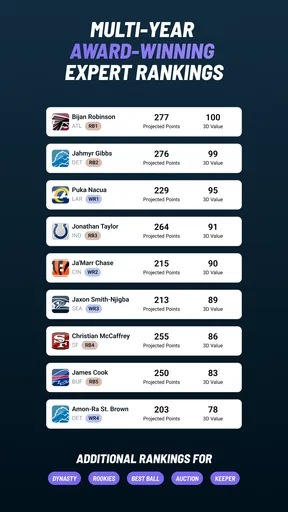
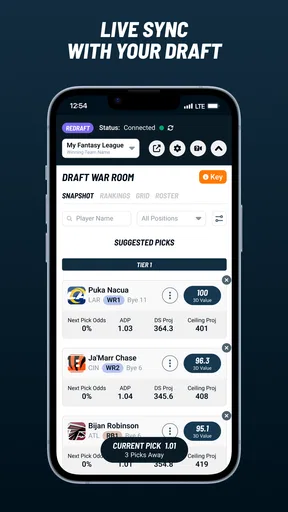
The most useful draft-oriented features generally include customizable rankings, player projections, tiered lists, value indicators, draft recommendations, and tools for identifying sleepers or potential busts. These resources can help you compare players by position and follow a strategy during a live draft. However, projections are not guarantees, so users should still consider scoring settings, injuries, and league rules.
Is Draft Sharks Fantasy Football suitable for beginners?
Yes, beginners can use Draft Sharks Fantasy Football to learn basic draft strategy, understand player values, and follow expert recommendations. The amount of information may feel overwhelming at first, especially when advanced metrics and projections are displayed together. New users should begin with rankings, draft guides, and explanatory articles, then gradually explore customization options as they become more comfortable with fantasy football.
